A thoughtful gaming gift can make everyday play more comfortable, help tidy a desk, or support a new streaming project. The right pick depends on how the recipient plays and what their setup can accommodate.
These 10 gift ideas for gamers range from practical accessories to room-filling entertainment, with options for PC players, console fans, and content creators.
10 Gift Ideas for Gamers and Their Setups
SteelSeries Arctis Nova 7P Wireless Gaming Headset

- Connect wirelessly on PC, PlayStation, Switch, or tablet using a portable USB-C dongle.
- Mix calls or music with game audio through dual audio streams.
- The retractable mic can be hidden for a commute.
Best Gift For: A console or multi-platform player who wants wireless game audio and a retractable mic.

SteelSeries Apex Pro TKL Gaming Keyboard

- Set individual keys across 40 actuation levels.
- Assign two actions to one key for different press depths.
- Its tenkeyless form keeps the full-size functionality in a compact form.
Best Gift For: A PC gamer who wants to customize key response and keep a tenkeyless desk setup.
SteelSeries Rival 5 Gaming Mouse

- The layout includes nine programmable buttons.
- Five quick-action side buttons put extra controls within reach.
- The optical sensor provides true one-to-one tracking.
Best Gift For: A PC gamer who plays fast-paced games and values programmable controls.
FIFINE AmpliGame AM8W XLR/USB Gaming Microphone

- USB and XLR connections support different recording setups.
- The RGB lighting can be toggled and changed with a button over USB.
- Tap-to-mute and a gain knob keep basic audio controls close at hand.
Best Gift For: A gamer or streamer building a white desktop setup for streaming or podcasting.
HUANUO FlowLift Dual Monitor Desk Mount

- Each monitor must be 13 to 32 inches, weigh 4.4 to 19.8 pounds, and have 75x75mm or 100x100mm VESA mounting holes.
- The mount supports full-motion adjustment for changing screen position.
- Built-in cable management guides cords along the arms.
Best Gift For: A gamer with two compatible monitors who wants adjustable screens and more desk space.
TP-Link Archer AXE75 Tri-Band WiFi 6E Router

- The tri-band router includes a 6 GHz band.
- OFDMA technology increases capacity for simultaneous device connections.
- A modem is required for most internet service providers.
Best Gift For: A gamer or household with several connected devices and internet service.
Audioengine A2+ Wireless Computer Speakers

- Compact powered speakers are made for nearfield listening at a desk.
- Bluetooth and wired inputs support several audio sources.
- Real wood cabinets are hand-finished.
Best Gift For: A PC or Mac gamer who enjoys desktop listening for games, music, and calls.
Valerion VisionMaster Pro2 Triple Laser Projector
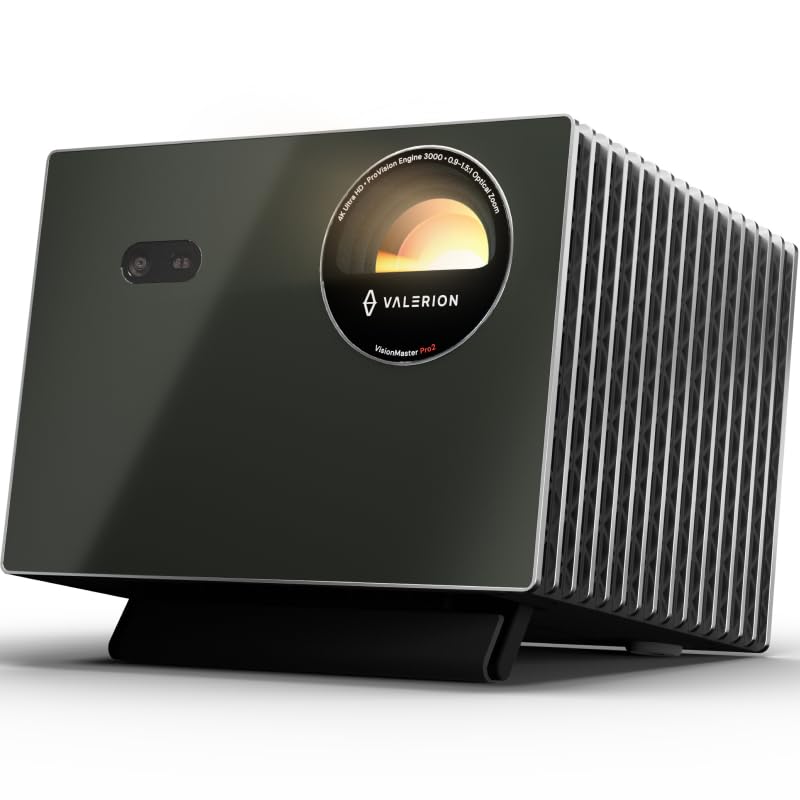
- The projector supports 4K UHD clarity.
- Gaming mode supports 4ms input lag and a 240Hz refresh rate on ultra-wide 21:9 or 32:9 screens.
- Built-in Google TV+ provides access to streaming platforms.
Best Gift For: A gamer who wants to play on a large projected screen and also watch films at home.
SABRENT 5-in-1 USB-C Hub
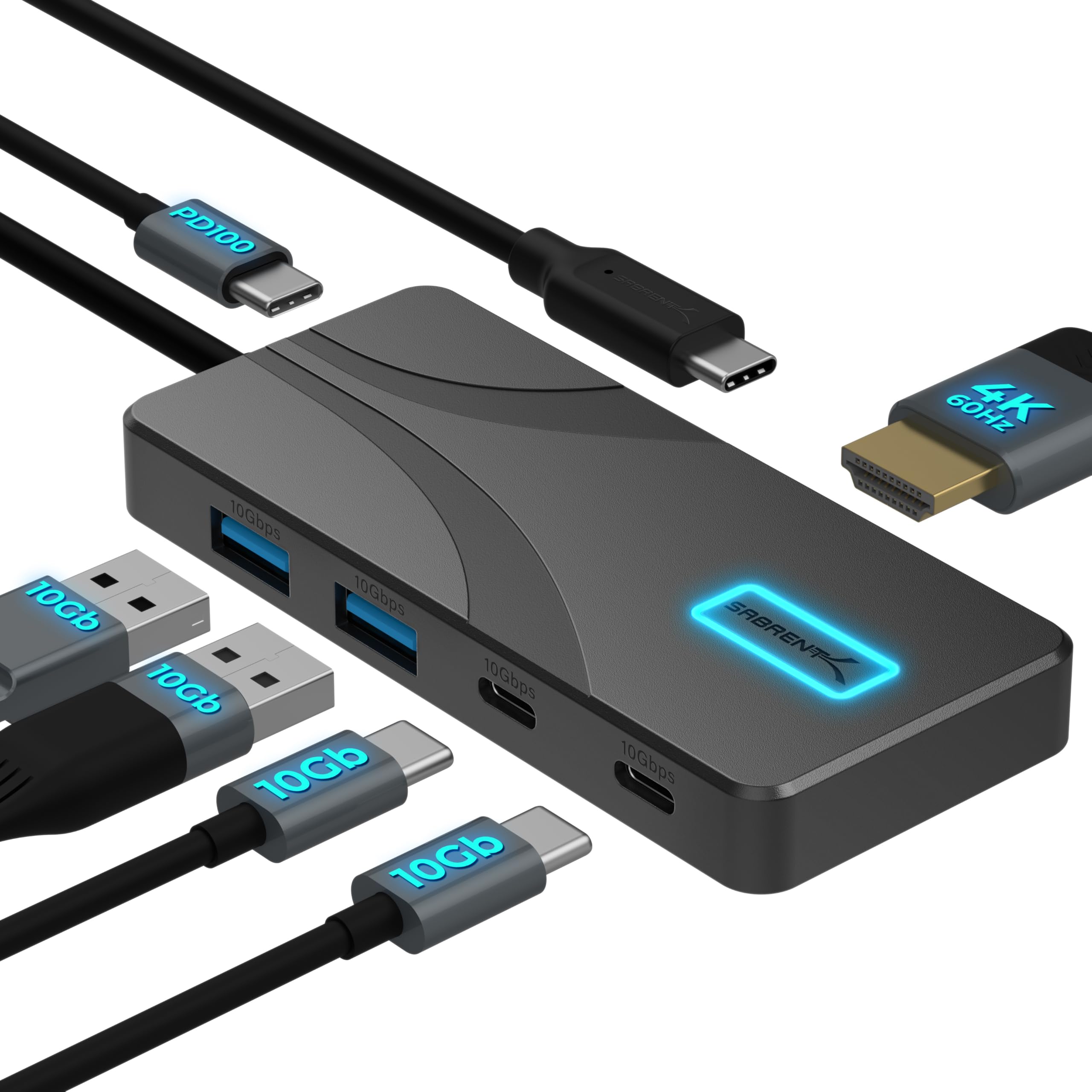
- The hub has two USB-A and two USB-C 10Gbps data ports.
- It can extend or mirror a display at up to 4096×2160@60Hz.
- With a 100W USB-C PD charger connected to its dedicated input, the hub passes up to 80W to a laptop; power adapter not included.
Best Gift For: A laptop gamer who needs convenient connections for peripherals and a display.
Rythflo Dual Wireless Lavalier Microphone
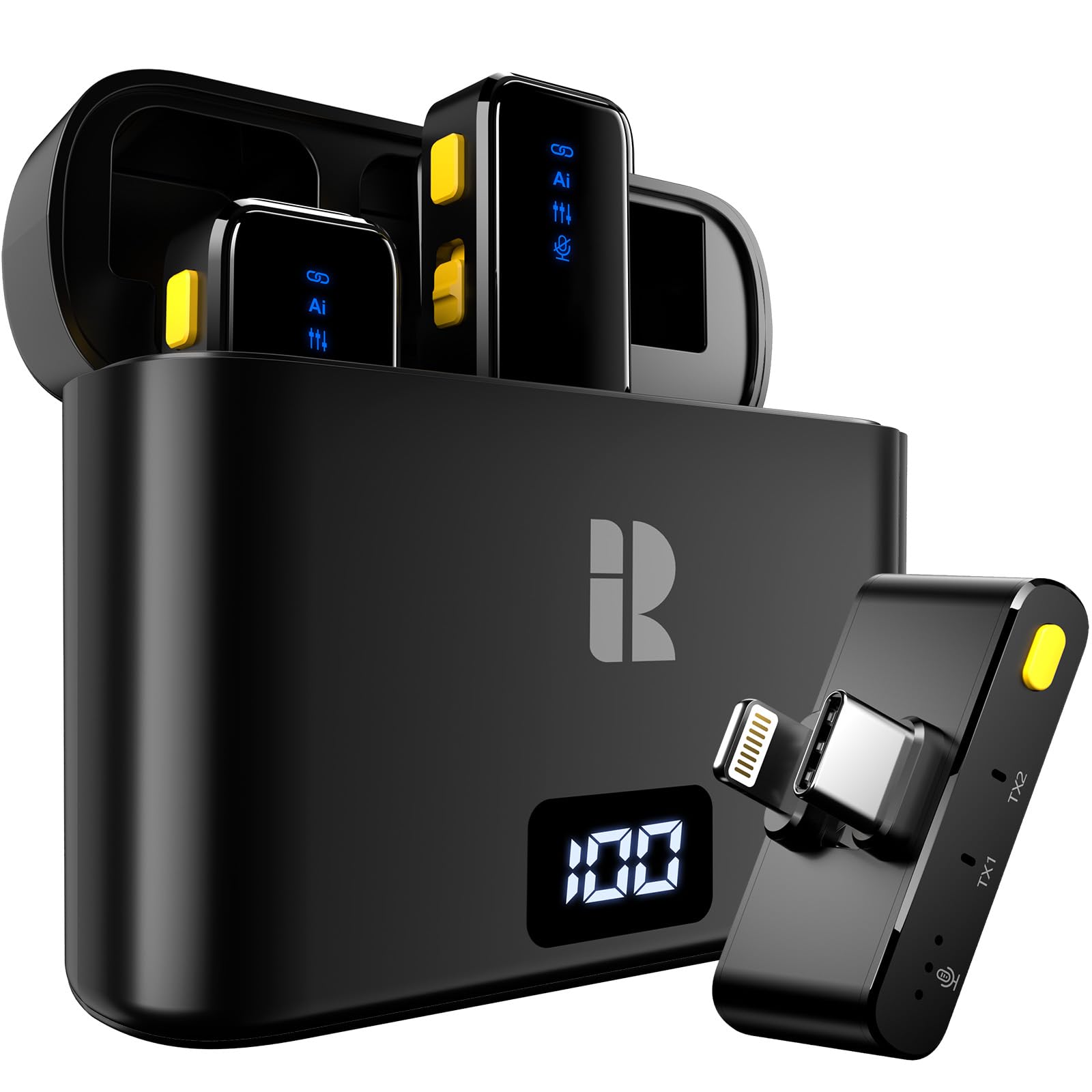
- The 600mAh charging case powers the microphone for up to 50 hours of continuous recording.
- It works with devices that have Lightning or Type-C ports.
- The microphone clips onto clothing for recording.
Best Gift For: A gamer who records or streams from a phone or laptop and wants a clip-on microphone.
1. Choose gifts for gamers around how they play
Start with the recipient’s usual setup. A PC player may appreciate a keyboard, mouse, audio accessory, or a way to organize the desk, while a console player may get more use from a wireless headset or a shared-screen upgrade.
Think about the actual friction they mention: tangled cables, a crowded desk, voice chat, or wanting a bigger display.
For gifts for gamers, compatibility matters as much as the idea itself. Check the computer or console they use, available ports, display connections, and whether accessories fit the existing setup.
A monitor mount needs matching screens and a suitable desk, while a USB-C hub depends on device support for its video features.
Consider the household, too. Some players share a room or internet connection, so a network or audio gift may affect others.
If the recipient already has a strong preference for a particular brand, platform, or peripheral style, a gift card or a small accessory they have requested can be more thoughtful than guessing at a major upgrade.
2. Balance the budget with what the gift adds
Set a comfortable spending range before shopping. Smaller add-ons can solve everyday annoyances, such as connecting peripherals or recording clearer voice, while a display or complete audio upgrade is a larger commitment.
Choose based on how often the recipient will use the feature rather than the size of the box.
For more expensive gifts for gamers, look for a clear fit with an existing setup. A premium device can be wasted if it needs space, ports, or compatible equipment the recipient does not have.
Ask a family member or friend to discreetly check these details when the gift is meant to be a surprise.
Check actual prices before buying, since they can change. Compare what is included and note any separately needed equipment or power accessories.
For a lower-cost present, pairing a practical accessory with a handwritten note about why you chose it can make the gift feel considered without stretching your budget.
3. Personalize gifts for gamers to their routines
A useful personal touch comes from noticing how someone plays. A friend who hosts game nights may enjoy an upgrade that supports shared viewing, while a streamer may value tools that make recording or managing a desk easier.
Choose a feature that connects to something they already do, instead of assuming every gamer wants the same kind of gear.
When choosing gifts for gamers, think about presentation as part of the experience. Wrap a desk accessory with a short note suggesting a setup project together, or package a creator-focused gift with a notebook for video ideas.
Keep the message specific to their interests, such as a favorite genre, regular co-op night, or new streaming goal.
For a surprise, check in with someone who knows the recipient’s setup. They can help confirm whether a device is wanted and whether the desk, computer, or console can support it.
If you cannot verify a major purchase, choose a more flexible gift tied to the hobby, or ask the recipient for one preferred model or accessory.
4. Make the gift useful from day one
A practical gift is easier to enjoy when the recipient can set it up without hunting for missing pieces. Before purchasing, check what comes in the package and whether any charger, cable, mount, or other equipment is required separately.
Read current product details carefully, especially for gifts that connect to a computer, display, network, or console.
Think about where the item will live. A desk mount or speakers need suitable space; a projector needs a room arrangement that works for viewing; a portable hub or microphone should be easy to store.
If the recipient shares a workspace, consider whether the gift changes cable placement, sound, or the available desk area.
You can make setup part of the present without taking over their space. Offer to help unbox and organize cables, or include a note inviting them to choose the best time to install it.
For gifts that need technical configuration, let the recipient control account access and settings so the equipment suits their preferences.
5. Last-minute buying advice for gaming gifts
If time is short, favor items with a clear use and straightforward fit. Confirm the recipient’s platform, device ports, and any important dimensions before ordering.
Check current delivery estimates at checkout rather than assuming an item will arrive by a particular date, and have a simple card ready if shipping timing is uncertain.
For a last-minute gift, a compact accessory may be easier to wrap and less dependent on rearranging a room. If you are considering a major setup change, a note explaining the idea and offering to shop together can be more considerate than rushing into an uncertain purchase.
Keep the receipt or gift options in mind and include a warm, specific message. Explain the reason you picked the item, such as supporting their streaming hobby or making game nights more comfortable.
That context makes a practical present feel personal while leaving room for the recipient to adapt it to their setup.