Content creation can happen at a desk, on location or wherever inspiration strikes. The right gift can support a creator’s setup, workflow or way of sharing finished work.
These 16 gift ideas for content creators range from recording tools and desk upgrades to portable accessories and creative ways to display photos.
16 Useful Gift Ideas for Content Creators
MAONO Wave T5 Wireless Lavalier Microphone

- Four one-tap voice filters offer options for vlogs, storytelling and online teaching.
- The compact charging case provides 40 hours of total use.
- A receiver Type-C port can charge a phone while recording.
Best Gift For: A video creator who records interviews, vlogs or voiceovers away from a desk.

FIFINE T669 USB Condenser Microphone Kit

- The USB microphone connects to a PC or laptop without additional hardware or drivers.
- The adjustable boom arm helps position the microphone for recording.
- A double pop filter has two layers to reduce popping sounds.
Best Gift For: A podcaster or voiceover creator building a computer-based home recording setup.
HUANUO FlowLift Dual Monitor Desk Mount

- Each arm holds monitors weighing 4.4 to 19.8 lbs.
- The mount offers tilt, swivel and full rotation adjustments.
- Built-in cable management guides wires along the arms.
Best Gift For: A creator who edits or manages projects across two compatible desktop monitors.
Nulaxy Pull-Out Height Adjustable Laptop Stand

- The stand raises a laptop screen from 1.2 to 20 inches.
- Its pull handle makes it easy to switch between sitting and standing positions.
- The stand folds for compact storage on a desk or in an office.
Best Gift For: A laptop creator who wants to adjust their screen position between seated and standing work.
TP-Link Archer AXE75 WiFi 6E Router

- Tri-band WiFi and OFDMA support simultaneous transmission to more devices.
- The 6 GHz band is designed to bring more bandwidth.
- OneMesh support can connect with a TP-Link OneMesh Extender.
Best Gift For: A creator who shares a home network with other people streaming, gaming or video calling.
Audioengine A2+ Wireless Computer Speakers

- The built-in 24-bit DAC connects to a computer through USB-C.
- Bluetooth and wired inputs provide several ways to connect devices.
- The compact powered speakers are designed for listening at a desk.
Best Gift For: A creator who listens to music, podcasts or video audio at a home-office desk.
SABRENT SuperSpeed USB 3.0 Card Reader
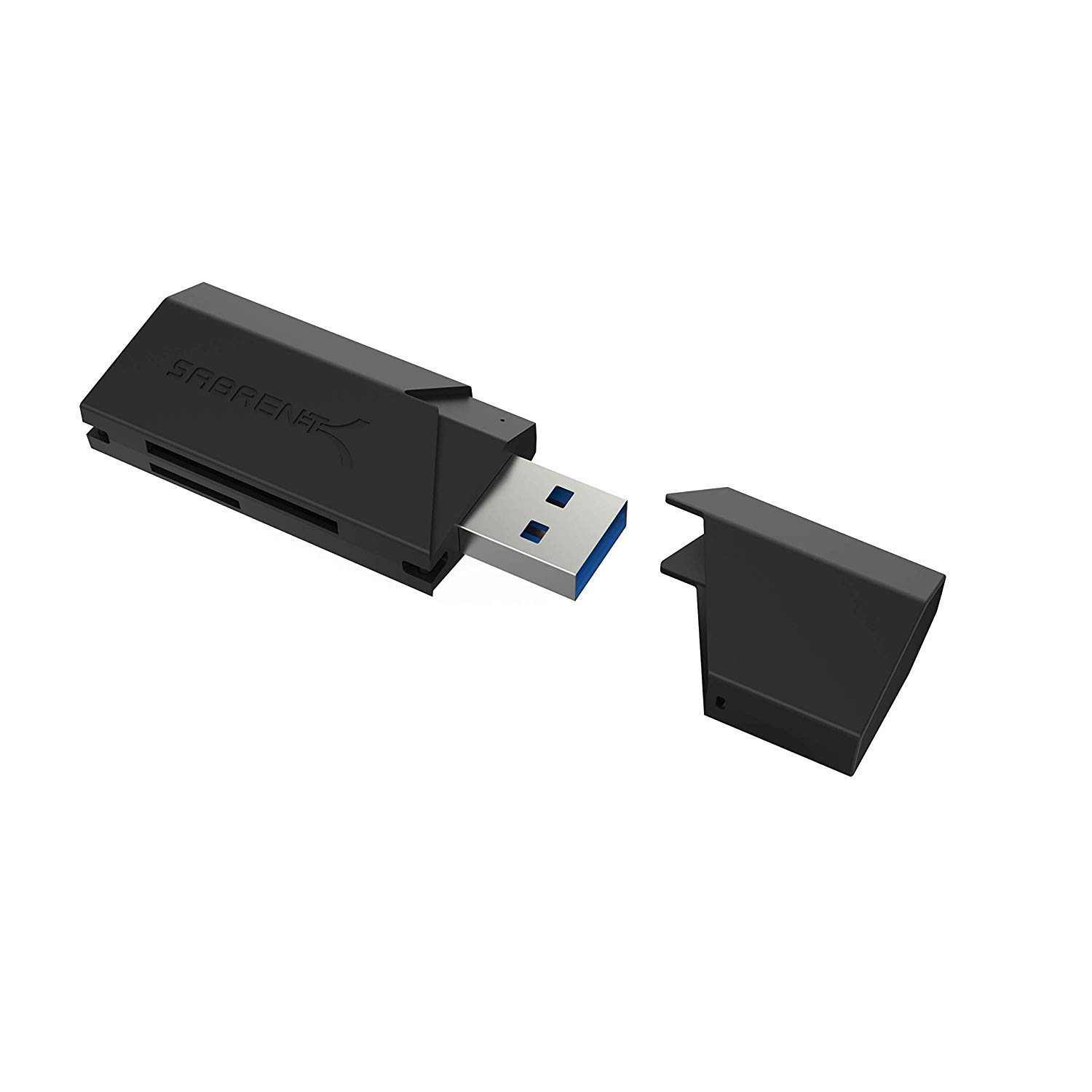
- Supports SD, SDHC, SDXC, MMC, MicroSD and T-Flash cards.
- The USB reader is backward compatible with USB 2.0 hosts.
- It draws power from the USB port, so no separate power supply is needed.
Best Gift For: A photo or video creator who transfers files from SD or MicroSD cards.
SABRENT 5-in-1 USB-C Hub with 4K HDMI
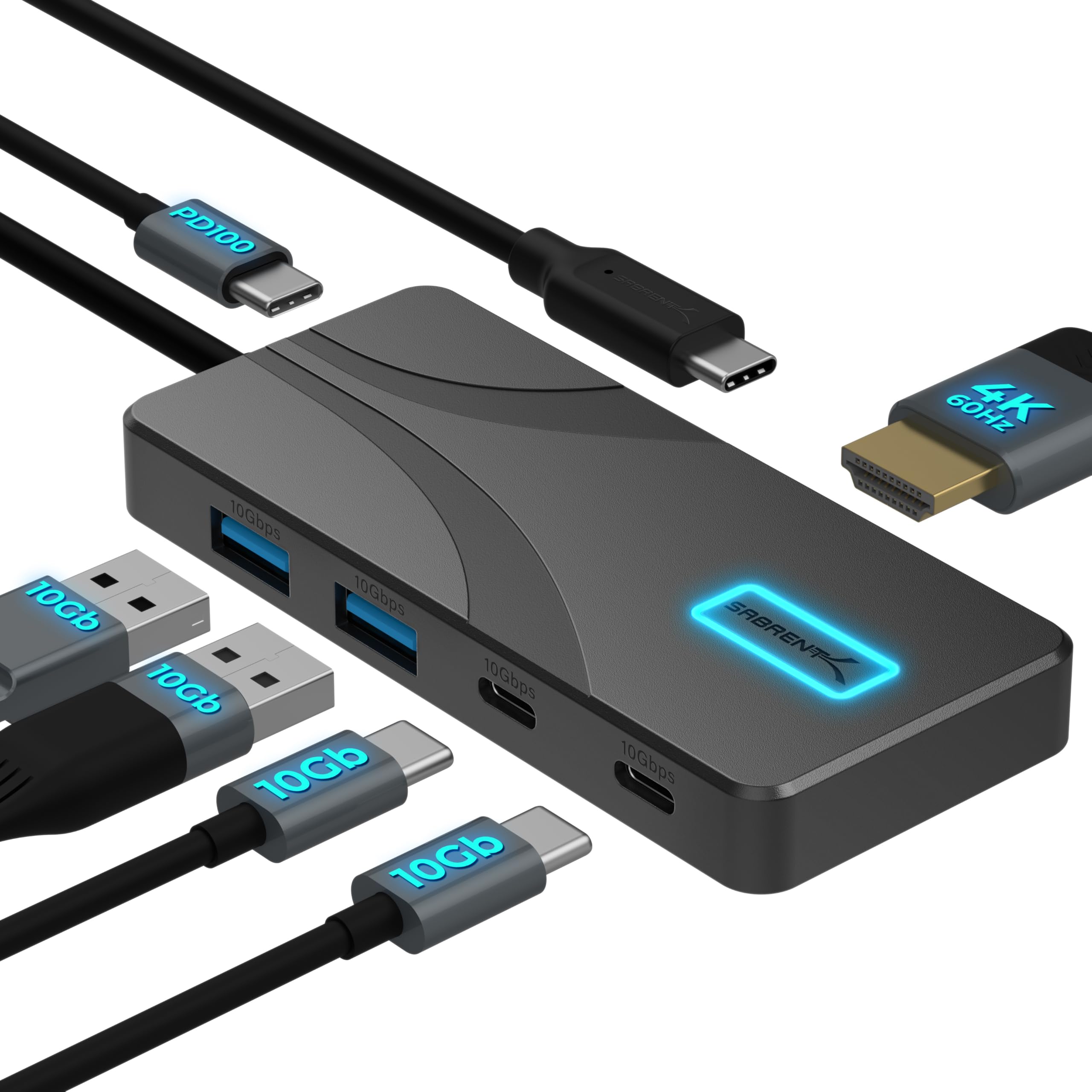
- The hub has USB-A and USB-C data ports plus a dedicated USB-C PD input.
- Its HDMI port supports output up to 4096×2160 at 60Hz on compatible devices.
- The aluminum housing uses passive cooling without fans.
Best Gift For: A laptop or tablet creator who connects peripherals or an external display at a desk.
SteelSeries Aerox 3 Wireless Gaming Mouse

- The shell design reduces the mouse weight to 68g.
- The mouse supports both 2.4 GHz wireless and Bluetooth 5.0.
- Its interiors are shielded from water splashes, dust and dirt.
Best Gift For: A gaming streamer or creator who wants a wireless mouse for fast gameplay.
SteelSeries Apex Pro HyperMagnetic Gaming Keyboard

- Per-key actuation has 40 levels of adjustment.
- The OLED display shows information from games and apps.
- USB passthrough connects an additional USB-powered device.
Best Gift For: A gaming creator who wants to customize key response and access app information at a glance.
5000mAh Slim Magnetic Wireless Power Bank

- The 5000mAh battery can provide up to one full charge for an iPhone 16.
- USB-C output supports wired charging for iPad, AirPods and Apple Watch.
- The magnetic charger is not compatible with non-magnetic cases.
Best Gift For: A mobile creator with a compatible MagSafe iPhone who takes calls, photos or video while charging.
SHOKZ OpenFit Open-Ear Bluetooth Earbuds

- The open-ear design lets listeners hear audio alongside their surroundings.
- The charging case provides up to 28 hours of listening.
- The earbuds pair with Android, iOS, Windows and other Bluetooth-enabled devices.
Best Gift For: A creator who listens to audio or takes calls while staying aware of their surroundings.
HP Sprocket Select 2.3x3.4 Instant Photo Printer

- The printer makes 2.3 by 3.4 inch photographs from a smartphone or social media.
- The app includes editing tools for frames and filters.
- The sticky-backed paper resists water, smudges and tears.
Best Gift For: A creator who wants to print and personalize photos from a smartphone or social media.
Phomemo D30 Bluetooth Label Maker with 3 Tapes
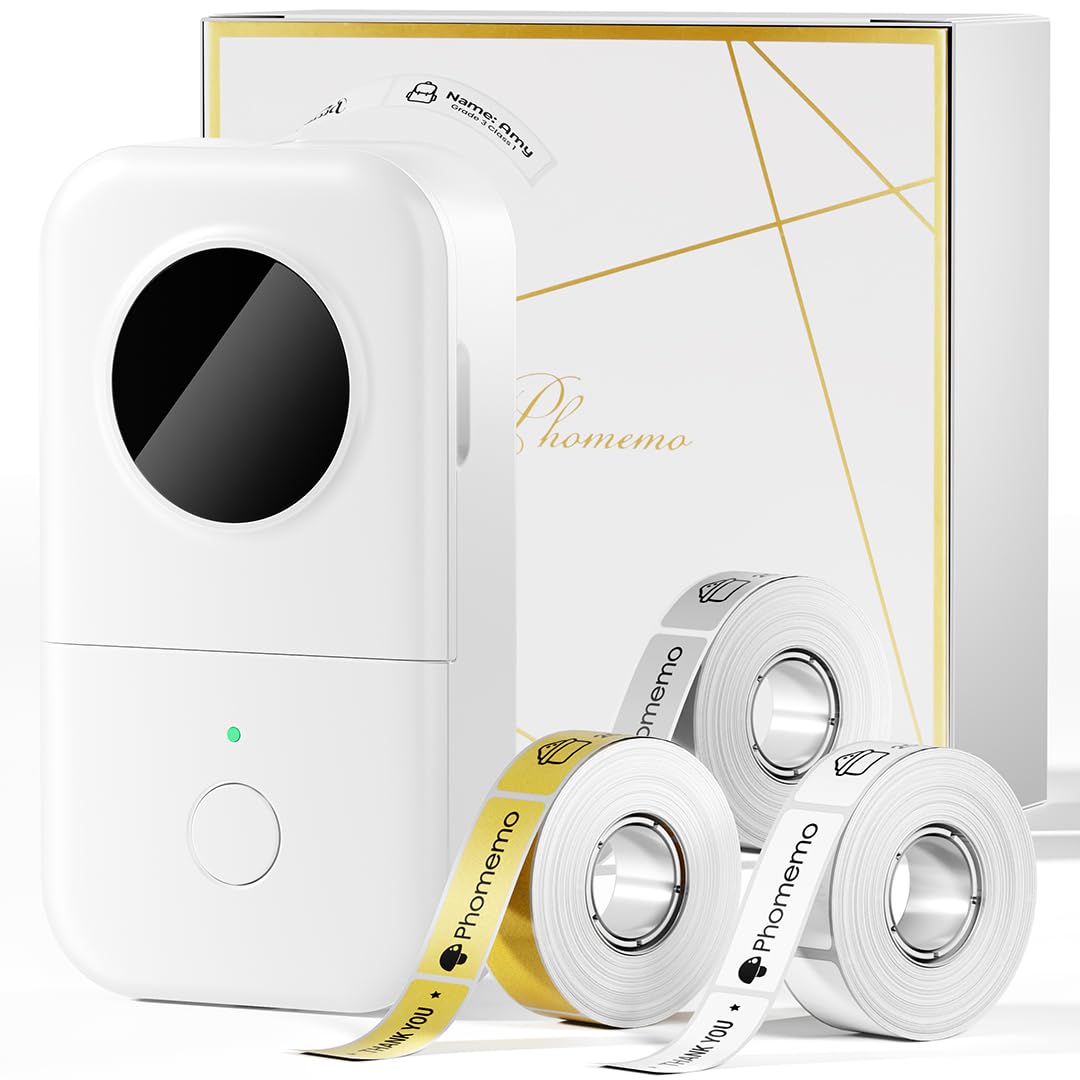
- The set includes one white, one gold and one clear tape.
- The label maker prints black text; color-patterned tape is needed for color-label artwork.
- The app offers templates with symbols, frames and fonts.
Best Gift For: A creator who organizes studio supplies, storage, files or cables with labels.
BESTEK Power Strip Tower with USB-C and USB-A
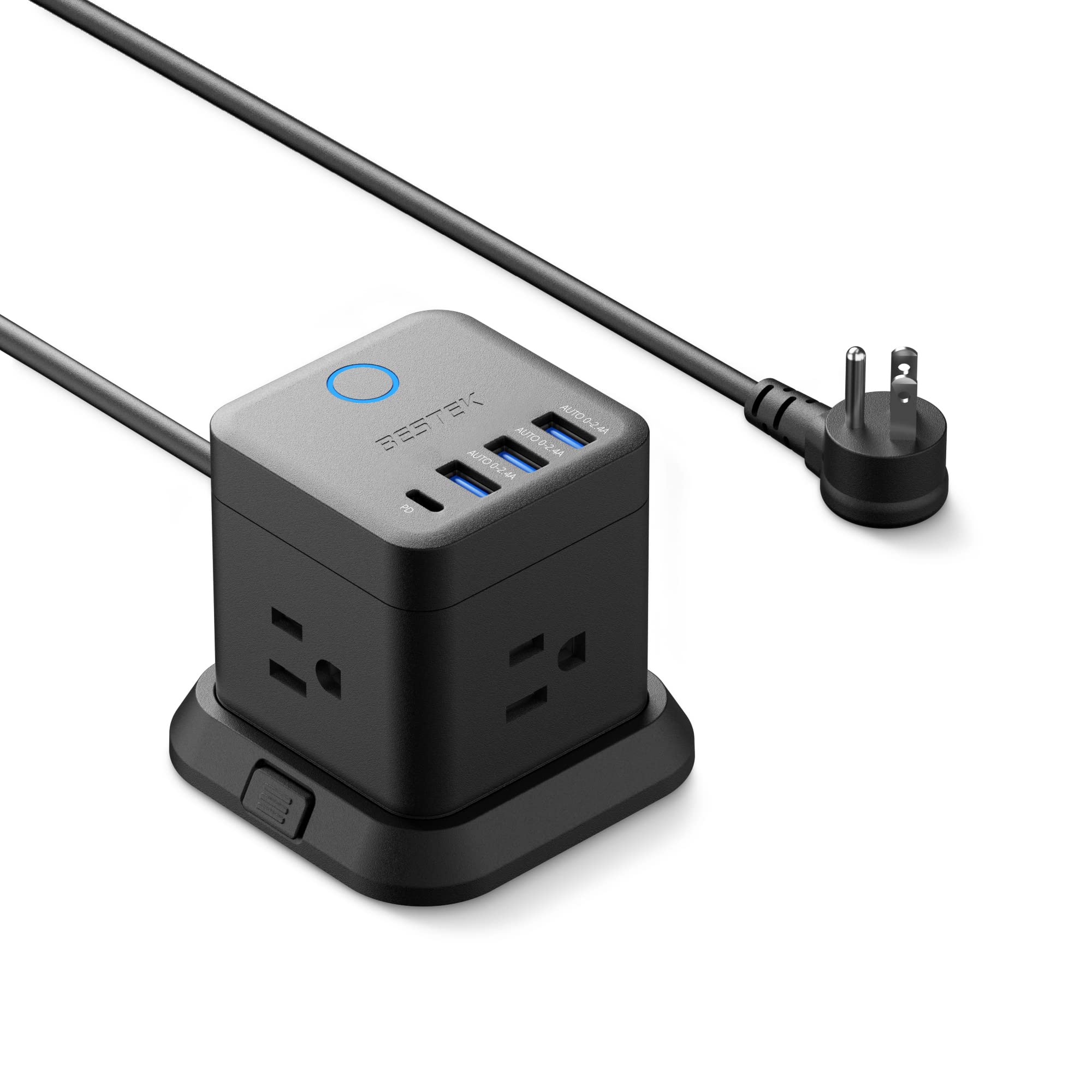
- The tower has 3 outlets, 3 USB-A ports and 1 USB-C port.
- It can be mounted on desktops, under tables or on walls.
- A 45-degree flat plug is designed to fit narrow spaces.
Best Gift For: A creator who needs a desktop or under-table charging spot for multiple devices.
TMY 1080P Mini Portable Projector with 80-Inch Screen
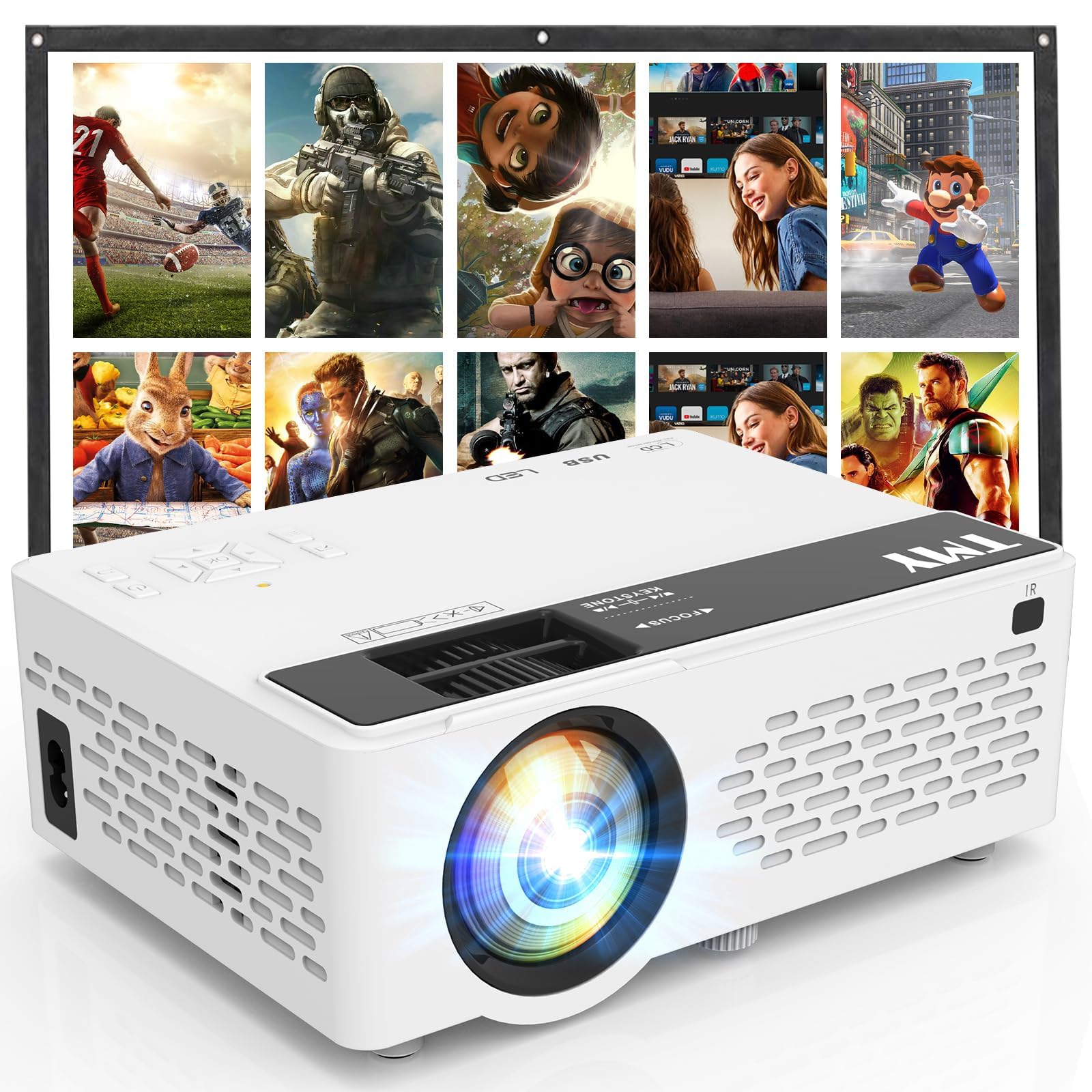
- An 80-inch foldable projection screen is included.
- The projector supports 1080P Full HD video.
- Two-way Bluetooth supports pairing with an external speaker or using the projector as a Bluetooth speaker.
Best Gift For: A creator who enjoys sharing video projects or hosting movie nights at home or outdoors.
Choosing gifts for content creators
Start with the creator’s routine: someone who films interviews away from home may value portable audio, while a podcaster recording at a desk may benefit more from a microphone setup. For gifts for content creators, match the tool to the moment they want to improve, such as clearer recordings, a more comfortable workstation or easier file transfers.
Think about the work they already make and the gear they own. A photo printer suits someone who likes sharing physical images, while a card reader is useful only if its supported card formats and connection suit their camera and computer.
Ask a mutual friend or check the creator’s public setup before choosing a device that depends on compatibility.
Consider where the item will live and how often it will be used. A desk upgrade can be helpful for a creator with a consistent workspace, while portable accessories make more sense for someone who records on location.
For multi-device desks, first check available ports and whether an existing dock or charger already covers the same need.
Set a comfortable budget
Set a spending range before shopping and decide whether you want one central gift or a smaller bundle. A modest accessory can still be useful when it solves an everyday friction point, while a larger equipment purchase deserves a closer compatibility check and a clear understanding of what else the creator may need.
If you are choosing between several price levels, weigh the full setup rather than the headline item alone. A microphone may require a suitable computer or phone connection; a stand depends on the desk and screen; a charger relies on compatible devices and cases.
Check actual prices and included accessories before deciding what fits your budget.
For a group gift, consider pooling contributions toward a tool the recipient has already mentioned wanting. If you are buying solo, choose something immediately useful that fits their current workflow instead of stretching for a more elaborate setup.
Qualitative budget tiers can help narrow options, but verify current prices before checkout.
Personalize gifts for content creators
A thoughtful gift can reflect the creator’s subject, style or workspace. Pair a practical tool with a small note that explains why it made you think of their projects, or add a handwritten card referencing a recent video, podcast or illustration they shared.
For gifts for content creators, that personal context can make a useful everyday item feel chosen for them.
Presentation can be simple and considerate. Keep packaging compact if the recipient has limited desk space, and gather manuals, cables and included accessories together so setup is easier.
If the product depends on a phone, computer, monitor, case or memory card, include a note reminding them to check compatibility before opening or configuring it.
You can also add a small companion item that supports their process, such as a notebook for planning, a folder for organizing printed work or a card with a favorite project link. Avoid implying that a tool will transform their work; focus instead on the practical role it could play in a routine they already enjoy.
Buying advice when time is short
For a last-minute purchase, favor products that fit a known device or workspace and avoid gifts with several unknown requirements. Confirm model compatibility, connector type and dimensions using current product information.
If those details are uncertain, a flexible accessory or a personal note toward a chosen upgrade may be easier to get right.
Check the current delivery estimate at checkout and leave time for the recipient to test compatibility. Shipping dates can vary, so do not assume a particular arrival day.
For equipment tied to a computer, phone, desk or display, verify the relevant ports, mounting needs and included accessories before placing the order.
When a gift arrives close to the occasion, presentation can buy you a little breathing room: wrap a printed image or card explaining the intended gift, then share the purchase details clearly. Keep receipts and packaging available in case the recipient needs to exchange a connector or size.
The best quick choice is one that respects their workflow and leaves room for personal preference.
Make the gift useful after the occasion
A useful gift supports the creator beyond the first unboxing. Think about whether it will be easy to store, connect and reach during ordinary work, and whether the recipient has time to incorporate it.
A compact device may suit a shared desk; a more permanent setup may require space and permission to rearrange the work area.
If the recipient creates with a partner or team, consider whether the gift supports collaboration, such as sharing audio, organizing supplies or displaying finished work. Keep expectations modest and let the person decide how to use it.
A gift should make their process more comfortable or expressive without dictating what they create.
Before wrapping, gather the accessories and confirm the package is complete. Include a short note about the intended use and invite them to choose the best time to set it up.
A little practical thought helps the gift become part of their creative routine, whether they publish frequently or make projects just for themselves.